Table of Contents
ToggleLevoit air purifiers have earned a reputation for dependable performance at a reasonable price point, but like any mechanical system, they need regular maintenance. Filters get clogged with dust, pet dander, and particulate matter, that’s the whole point, but ignoring buildup reduces airflow, strains the motor, and shortens the unit’s lifespan. The good news? Some filter components can be cleaned and reused, saving money and extending replacement intervals. The catch? Not all filters are cleanable, and washing the wrong type can destroy it. This guide walks through exactly which Levoit filters can be cleaned, which must be replaced, and how to maintain the entire system for peak efficiency.
Key Takeaways
- Levoit air purifier filter cleaning requires distinguishing between cleanable pre-filters and non-washable HEPA/carbon filters to avoid damaging the system.
- Clean washable pre-filters every 2–4 weeks by vacuuming and gently washing with mild soap, then air-dry completely before reinstalling.
- Replace HEPA and activated carbon filters every 6–8 months under normal use, or sooner if airflow decreases or odors persist.
- Never wash HEPA filters with water—moisture collapses microscopic fibers and destroys their 99.97% particle-capture capability permanently.
- Extend filter lifespan by maintaining proper purifier placement, running on auto mode, keeping the pre-filter clean, and reducing household dust through regular vacuuming.
Understanding Your Levoit Air Purifier Filter Types
Most Levoit models use a three-stage filtration system: a washable pre-filter, a True HEPA filter, and an activated carbon filter. Some units combine the HEPA and carbon layers into a single cartridge, while others keep them separate. Check the user manual or the filter itself for labeling.
The pre-filter is the outer mesh or foam layer that traps large particles, hair, lint, dust bunnies. It’s usually dark gray or black and wraps around the main filter cylinder. This layer is designed to be cleaned and reused.
The HEPA filter (often labeled H13 or True HEPA) captures 99.97% of particles down to 0.3 microns, pollen, mold spores, fine dust. It’s a dense, accordion-pleated paper that looks like white or off-white folds. This filter is not washable.
The activated carbon filter handles odors, VOCs, and smoke. It’s typically a thin layer of black pellets or granules sandwiched between fabric or foam. Like the HEPA, it’s a consumable component and cannot be cleaned effectively.
Some Levoit units, like the Core 300 and LV-H132, use a combined HEPA/carbon cartridge. Others, like the 400S, separate them. Knowing which layers you’re working with prevents costly mistakes.
When to Clean vs. Replace Your Levoit Filter
Levoit units typically have a filter change indicator light that triggers based on runtime hours (often around 2,000 hours for HEPA filters, or roughly six months of continuous use). That indicator doesn’t distinguish between filter types, it’s a general reminder, not a diagnostic tool.
Clean the pre-filter every 2-4 weeks if you run the unit daily, more often if you have pets or live in a dusty environment. Visual inspection is the best gauge: if the mesh looks clogged or discolored, it’s time.
Replace the HEPA filter every 6-8 months under normal use, or sooner if you notice reduced airflow, persistent odors, or visible damage. High-traffic households, smokers, multiple pets, construction dust, may need replacements every 4-6 months.
Replace the activated carbon filter on the same schedule as the HEPA, since they often wear out together. Carbon becomes saturated with odor molecules and loses effectiveness even if it looks clean.
Many expert-tested air purifiers recommend tracking filter changes by marking replacement dates on the unit or setting a phone reminder. Relying solely on the indicator light can lead to running a compromised filter longer than ideal.
If the unit runs louder than usual, doesn’t push air like it used to, or stops reducing odors, assume the HEPA or carbon filter is spent, cleaning the pre-filter won’t fix that.
Step-by-Step Guide to Cleaning Levoit Pre-Filters
Cleaning the pre-filter is straightforward and takes about 15 minutes, including dry time.
Tools and materials:
- Soft-bristle brush or vacuum with brush attachment
- Mild dish soap (optional)
- Clean, dry towel
- Safety glasses (dust can shake loose during removal)
Steps:
- Unplug the unit. Never service an air purifier while it’s powered on.
- Remove the front or back panel. Most Levoit models have a snap-off cover: consult the manual if it’s not obvious.
- Lift out the filter assembly. The pre-filter usually wraps around the cylindrical HEPA/carbon core. Carefully unwrap or slide it off.
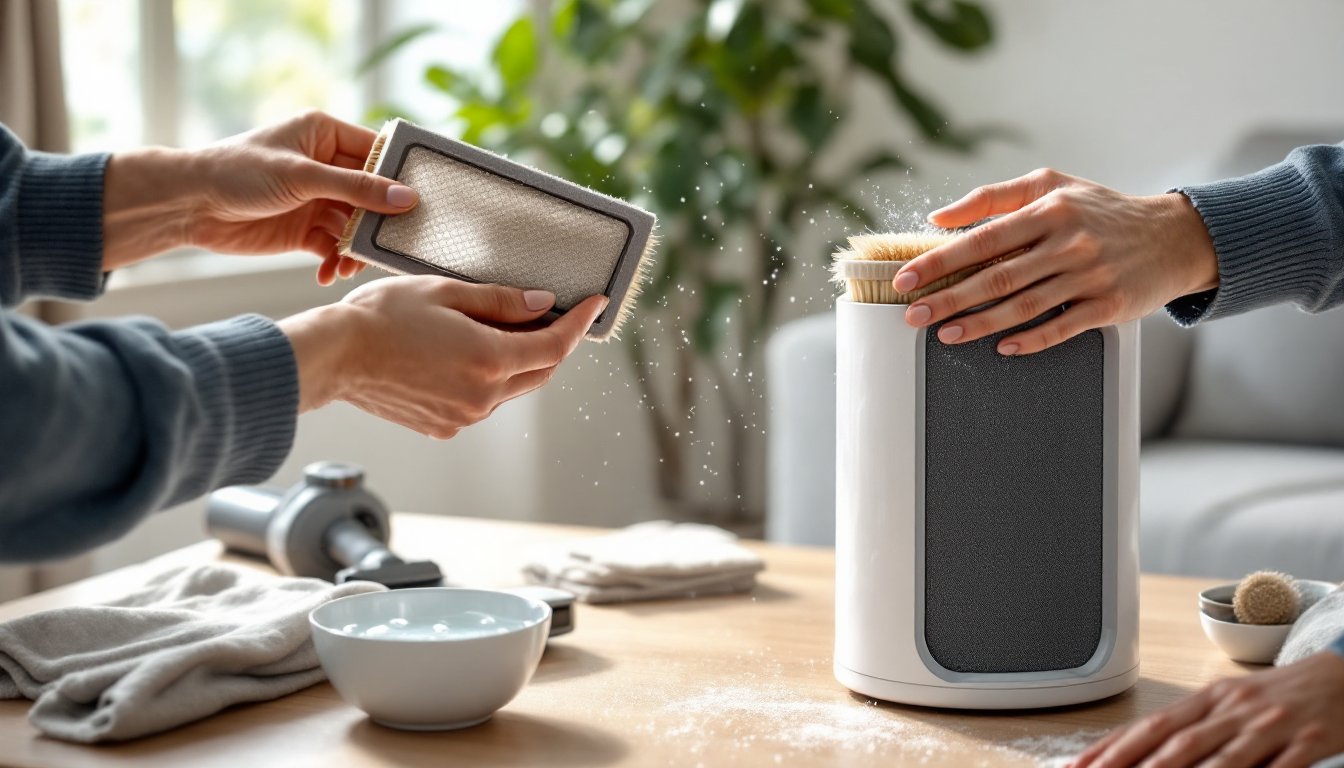
- Vacuum the pre-filter using the brush attachment. Work slowly to pull dust and debris from the mesh without tearing it. This step alone restores most of the airflow.
- Wash if heavily soiled. Fill a sink with lukewarm water and a few drops of mild dish soap. Submerge the pre-filter and gently agitate. Avoid wringing or twisting, let it soak for 5 minutes, then rinse thoroughly under running water.
- Air-dry completely. Lay the pre-filter flat on a towel in a ventilated area. Do not reinstall damp, moisture can damage the HEPA filter or promote mold growth. Drying typically takes 2-4 hours: overnight is safest.
- Reinstall once dry. Wrap the pre-filter around the main filter, replace the cover, and plug the unit back in.
Do not use a washing machine, dryer, or hot water. High heat and agitation can deform the mesh or melt foam layers.
Cleaning the Exterior and Housing Unit
Dust and grime accumulate on the intake grilles, sensor ports, and housing. Wipe down the exterior with a lightly dampened microfiber cloth every week or two. Avoid spraying cleaner directly on the unit, overspray can enter the filter chamber or electronics.
Check the air quality sensor window (usually a small opening on the side) for dust buildup. Use a dry cotton swab to gently clean the sensor lens. A dirty sensor gives false readings and can trigger unnecessary filter warnings.
Vacuum the intake and exhaust vents monthly with the brush attachment to prevent dust from caking on the internal fan blades.
What NOT to Clean: HEPA and Activated Carbon Filters
This is where well-meaning DIYers go off the rails: washing a HEPA filter destroys it. Water collapses the microscopic fibers that trap particles, rendering the filter useless. Even if it air-dries and looks intact, it won’t perform.
Some online videos show people vacuuming HEPA filters to “extend life.” Light vacuuming with a brush attachment won’t cause immediate harm, but it’s not a substitute for replacement. The fibers degrade over time from particle saturation, not just surface dust. Vacuuming might remove visible lint but won’t restore filtration efficiency.
Activated carbon filters lose adsorption capacity as the pores fill with VOCs and odor molecules. Washing them flushes out some debris but doesn’t regenerate the carbon. You’ll end up with a wet, ineffective filter that takes hours to dry and still won’t remove odors.
Some industrial carbon filters can be “recharged” by baking at high temperatures, but residential air purifier cartridges aren’t designed for that process. The thin fabric layers and adhesive backing would char or separate.
When independent air purifier testing labs evaluate models, they measure filter performance over time, those tests assume proper replacement intervals, not DIY cleaning hacks. If Levoit or any manufacturer says “replace, don’t wash,” take them at their word.
Replacement filters for Levoit units typically run $25-$50 per set depending on the model. Third-party options are available, but verify compatibility and check reviews. Off-brand filters sometimes use lower-grade HEPA media or thinner carbon layers, which reduce performance.
Extending Filter Life Through Proper Maintenance
Keeping the pre-filter clean is the single most effective way to prolong HEPA and carbon filter life. A clogged pre-filter forces the HEPA to work harder and traps larger particles it was never meant to handle.
Placement matters. Set the purifier at least 12 inches away from walls, curtains, and furniture to ensure unrestricted airflow. Don’t run it on carpet if the intake vents are on the bottom, elevate it on a small stand or hard surface.
Run the unit on auto mode if available. Constant high-speed operation processes more air but also shortens filter life. Auto mode adjusts fan speed based on detected air quality, reducing runtime when conditions are already clean.
Close windows during high-pollen or high-pollution days. Purifiers recirculate and clean indoor air: they can’t keep up with a constant influx of outdoor contaminants. Cracking a window for ventilation is fine, but don’t run the unit wide open next to a busy street.
Vacuum and dust regularly. The less particulate matter floating in your home, the less your purifier has to process. Weekly vacuuming with a HEPA-filtered vacuum and damp-dusting surfaces reduces the load on the air purifier.
Models featured in comprehensive air purifier reviews often include smart sensors and app connectivity that track real-time air quality and filter usage. Use that data to adjust habits, if the unit runs on high constantly, you may have an indoor air quality issue (poor ventilation, nearby construction, HVAC duct leaks) worth investigating.
Reset the filter indicator after changing filters. Most Levoit units require holding the filter reset button for 3-5 seconds. If you don’t reset it, the light will trigger prematurely on the next cycle.
Conclusion
Cleaning Levoit pre-filters every few weeks and replacing HEPA and carbon filters on schedule keeps the unit running efficiently without unnecessary expense. The distinction between washable and disposable components isn’t negotiable, water and HEPA filters don’t mix. Stick to the maintenance routine, keep the housing clean, and the purifier will deliver years of reliable service.